Feature
Cluster Mode: your GPUs, combined.
Pool GPU power across every machine on your network — the gaming rig, the old workstation, the Mac on your desk. Mix NVIDIA and AMD in the same cluster and run models too large for any single card you own.
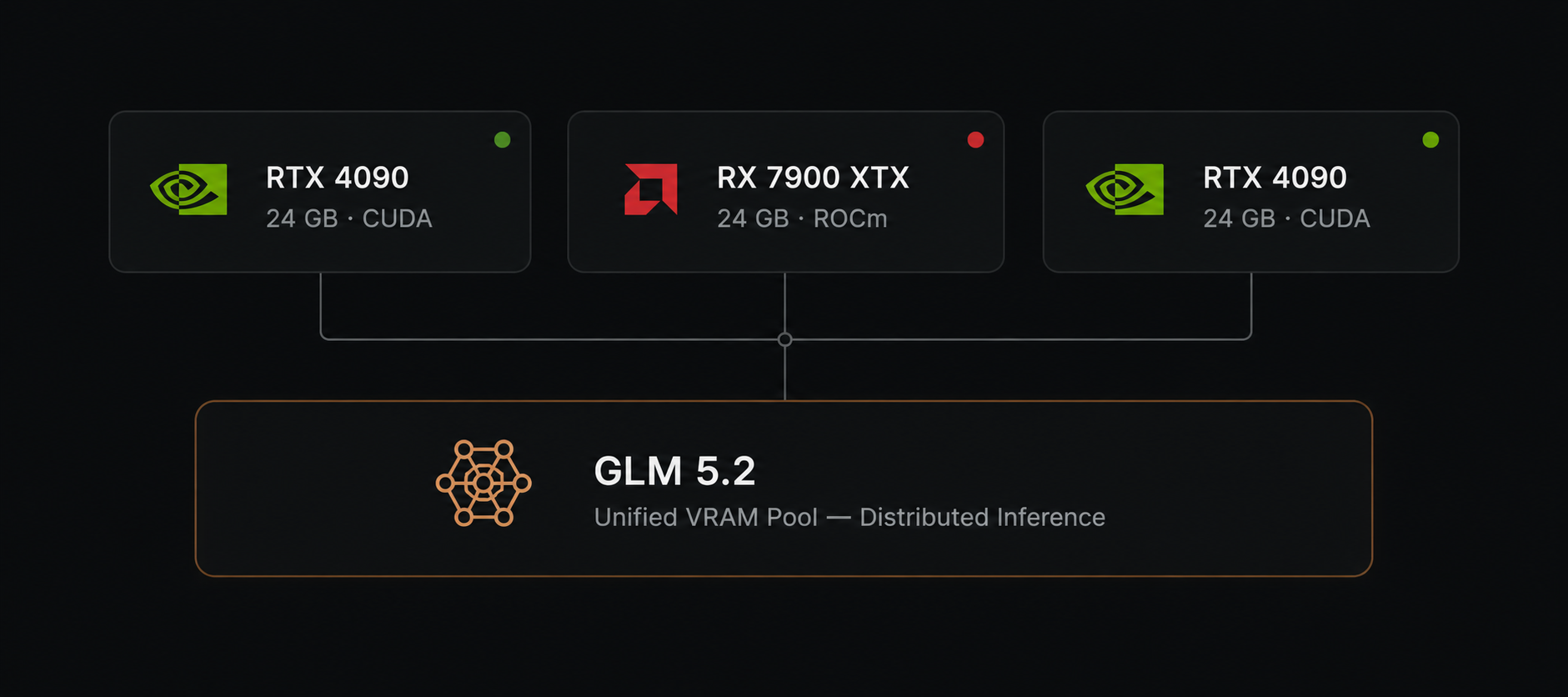
How Cluster Mode works
Heterogeneous GPUs
Combine NVIDIA CUDA, AMD ROCm/Vulkan, and Apple Metal machines in the same cluster. Each node uses its own backend.
LAN-only discovery
Nodes find each other over your local network. No public endpoints, no relay servers, and no cloud coordination.
Air-gapped by default
Block outbound traffic entirely. The cluster keeps working because every byte of inference stays inside your perimeter.
Layer-aware splitting
Models are split by layer across available VRAM so you can load weights too large for any single card.
Live throughput gauge
See tokens per second, queued jobs, and memory headroom per node from the central dashboard.
Why it matters
Most local LLM tools are limited to one machine. Cluster Mode treats your entire lab as one inference pool, so you can run 70 B-class models without buying a new GPU — and keep everything offline.
- Use existing hardware instead of new cloud credits
- Keep weights and prompts inside your network
- Add or remove nodes without restarting the cluster
- One dashboard for job queues, memory, and throughput
Typical cluster layout
Example only. Mix any supported GPUs in any combination.
Try Cluster Mode
Download OpenLLM Studio free and turn your spare machines into a single local inference cluster.